The project documentation/organization content in this page was adapted from the Long Term Ecological Research (LTER) Network’s course “Synthesis Skills for Early Career Researchers” (SSECR). Those materials can be found at lter.github.io/ssecr.
1 Project Documentation
Much of the popular conversation around reproducibility centers on reproducibility as it pertains to code. That is definitely an important facet but before we write even a single line it is vital to consider project-wide reproducibility. “Perfect” code in a project that isn’t structured thoughtfully can still result in a project that isn’t reproducible. On the other hand, “bad” code can be made more intelligible when it is placed in a well-documented/organized project!
1.1 Documentation
Documenting a project can feel daunting but it is often not as hard as one might imagine and always well worth the effort! One simple practice you can adopt to dramatically improve the reproducibility of your project is to create a “README” file in the top-level of your project’s folder system. This file can be formatted however you’d like but generally READMEs should include:
- Project overview written in plain language
- Basic table of contents for the primary folders in your project folder
- Brief description of the file naming scheme you’ve adopted for this project.
Your project’s README becomes the ‘landing page’ for those navigating your repository and makes it easy for team members to know where documentation should go (in the README!). You may also choose to create a README file for some of the sub-folders of your project. This can be particularly valuable for your “data” folder(s) as it is an easy place to store data source/provenance information that might be overwhelming to include in the project-level README file.
Finally, you should choose a place to keep track of ideas, conversations, and decisions about the project. While you can take notes on these topics on a piece of paper, adopting a digital equivalent is often helpful because you can much more easily search a lengthy document when it is machine readable. We will discuss GitHub elsewhere in the course, but GitHub offers something called “issues” that can be a really effective place to record some of this information.
2 Project Organization
2.1 Fundamental Structure
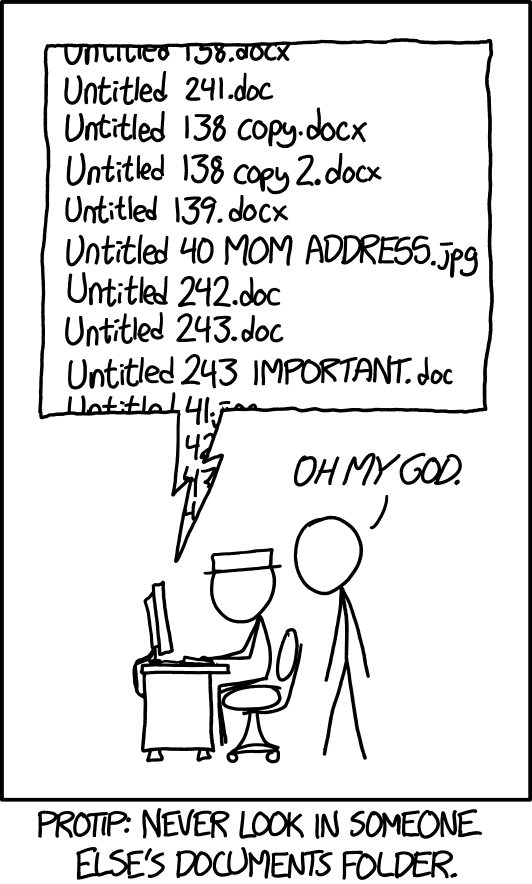
The simplest way of beginning a reproducible project is adopting a good file organization system. There is no single “best” way of organizing your projects’ files as long as you are consistent. Consistency will make your system–whatever that consists of–understandable to others.
Here are some rules to keep in mind as you decide how to organize your project:
- Use one folder per project
Keeping all inputs, outputs, and documentation in a single folder makes it easier to collaborate and share all project materials. Also, most programming applications (RStudio, VS Code, etc.) work best when all needed files are in the same folder.
Note that how you define “project” may affect the number of folders you need! Some synthesis projects may separate data harmonization into its own project while for others that same effort might not warrant being considered as a separate project. Similarly, you may want to make a separate folder for each manuscript your group plans on writing so that the code for each paper is kept separate.
- Organize content with sub-folders
Putting files that share a purpose or source into logical sub-folders is a great idea! This makes it easy to figure out where to put new content and reduces the effort of documenting project organization. Don’t feel like you need to use an intricate web of sub-folders either! Just one level of sub-folders is enough for many projects.
- Craft informative file names
An ideal file name should give some information about the file’s contents, purpose, and relation to other project files. Some of that may be reinforced by folder names, but the file name itself should be inherently meaningful. This lets you change folder names without fear that files would also need to be re-named.
2.1.1 Naming Tips
We’ve brought up the importance of naming several times already but haven’t actually discussed the specifics of what makes a “good” name for a file or folder. Consider the adopting some (or all!) of the file name tips we outline below.
Names should be sorted by a computer and human in the same way.
Computers sort files/folders alphabetically and numerically. Sorting alphabetically rarely matches the order scripts in a workflow should be run. If you add step numbers to the start of each file name the computer will sort the files in an order that makes sense for the project. You may also want to “zero pad” numbers so that all numbers have the same number of digits (e.g., “01” and “10” vs. “1” and “10”).
Names should avoid spaces and special characters.
Spaces and special characters (e.g., é, ü, etc.) cause errors in some computers (particularly Windows operating systems). You can replace spaces with underscores or hyphens to increase machine readability. Avoid using special characters as much as possible. You should also be consistent about casing (i.e., lower vs. uppercase).
Names should use consistent delimiters.
“Delimiters” are characters used to separate pieces of information in otherwise plain text. Underscores are a commonly used example of this. If a file/folder name has multiple pieces of information, you can separate these with a delimiter to make them more readable to people and machines. For example, you could name a folder “coral_reef_data” which would be more readable than “coralreefdata”.
You may also want to use multiple delimiters to indicate different things. For instance, you could use underscores to differentiate categories and then use hyphens instead of spaces between words.
Names should use slugs to connect inputs and outputs.
“Slugs” are human-readable, unique pieces of file names that are shared between files and the outputs that they create. Maybe a script is named “02_tidy.R” and all of the data files it creates are named “02_…”. Weird or unlikely outputs are easily traced to the scripts that created them because of their shared slug.
2.2 Organizing Example
These tips are all worthwhile but they can feel a little abstract without a set of files firmly in mind. Let’s consider an example synthesis project where we incrementally change the project structure to follow increasing more of the guidelines we suggest above.
Top-level sub-folders are colored blue so that the high-level structure is easier to quickly scan.
synthesis-project
|– clean-data.csv
|– community data.csv
|– graphing.r
|– ordination-plot.tiff
|– results report V2.pdf
|– results report V2.qmd
|– results_DRAFT.qmd
|– scatterplot.jpg
|– spp-boxplot.png
|– stats-feb 2024.r
|– synthesis-project.Rproj
└ - Wrangle.r
Positives
- All project files are in one folder
Areas for Improvement
- No use of sub-folders to divide logically-linked content
- File names lack key context (e.g., workflow order, inputs vs. outputs, etc.)
- Inconsistent use of delimiters/casing
synthesis-project
|– data
| |– clean-data.csv
| └ - community data.csv
|– graphs
| |– ordination-plot.tiff
| |– scatterplot.jpg
| └ - spp-boxplot.png
|– reports
| |– results report V2.pdf
| |– results report V2.qmd
| └ - results_DRAFT.qmd
|– scripts
| |– graphing.r
| |– stats-feb 2024.r
| └ - Wrangle.r
|– LICENSE
|– README.md
└ - synthesis-project.Rproj
Positives
- Sub-folders used to divide content
- Project documentation included in top level (README and license files)
Areas for Improvement
- File names still inconsistent
- File names contain different information in different order
- Mixed use of delimiters
- Mixed use of upper/lowercase
- Many file names include spaces
- Code file order not clear from filenames
synthesis-project
|– data
| |– raw-community-comp.csv
| └ - tidy-community-comp.csv
|– graphs
| |– abundance boxplot.png
| |– abundance scatter.jpg
| └ - comm ordination.tiff
|– reports
| |– results feb 14 2024.pdf
| |– results feb 14 2024.qmd
| └ - results may xx 2024.qmd
|– scripts
| |– data analysis.r
| |– data tidying.r
| └ - graphing.r
|– LICENSE
|– README.md
└ - synthesis-project.Rproj
Positives
- Most file names contain context
- Standardized use of casing and–within sub-folder–consistent delimiters used
Areas for Improvement
- Workflow order “guessable” but not explicit
- Unclear which files are inputs / outputs (and of which scripts)
synthesis-project
|– data
| |– 00_raw-community.csv
| └ - 01_tidy-community.csv
|– graphs
| |– 02_abundance boxplot.png
| |– 02_abundance scatter.jpg
| └ - 02_comm ordination.tiff
|– reports
| |– results_2024-02-14.pdf
| |– results_2024-02-14.qmd
| └ - results_2024-05-xx.qmd
|– scripts
| |– 01_tidy.r
| |– 02_graph.r
| └ - 03_analyze.r
|– LICENSE
|– README.md
└ - synthesis-project.Rproj
Positives
- Scripts include zero-padded numbers indicating order of operations
- Outputs share zero padded slug with source script
- Report file names machine sorted from least to most recent (top to bottom)
Areas for Improvement
- Could add subfolder-specific README files
- Depends on complexity of respective subfolder
- Graph file names still include spaces
2.3 Organization Recommendations
If you integrate any of the concepts we’ve covered above you will find the reproducibility and transparency of your project will greatly increase. However, if you’d like additional recommendations we’ve assembled a non-exhaustive set of additional “best practices” that you may find helpful.
First and foremost, it is critical that you never edit the raw data directly. If you do need to edit the raw data, use a script to make all needed edits and save the output of that script as a separate file. Editing the raw data directly without a script or using a script but overwriting the raw data are both incredibly risky operations because your create a file that “looks” like the raw data (and is likely documented as such) but differs from what others would have if they downloaded the ‘real’ raw data personally.
In the same vein as the previous best practice, we recommend that you separate the raw and processed data into separate folders. This will make it easier to avoid accidental edits to the raw data and will make it clear what data are created by your project’s scripts; even if you choose not to adopt a file naming convention that would make this clear.
This can sound harsh, but it is often a good idea to “quarantine” inputs received from others until they can be carefully vetted. This is not at all to suggest that such contributions might be malicious! As you embrace more of the project organization recommendations we’ve described above, inputs from others have more and more opportunities to diverge from the framework you establish. Quarantining inputs from others gives you a chance to rename files to be consistent with the rest of your project as well as make sure that the style and content of the code also match (e.g., use or exclusion of particular packages, comment frequency and content, etc.)
3 Introduction to Generative AI
Generative AI (hereafter “genAI”) has become increasingly broadly-discussed and adopted in the sciences. As with any other flexible tool, there are a variety of opinions and use-cases. The goal of this component of this lesson is not to provide comprehensive coverage for the entirety of genAI, rather the goal here is to give you a starting point for thinking about genAI and deciding whether/how you’d like to use these tools. We are by no means experts in the design and application of AI, we are just curious and excited (and sometimes apprehensive) about the possibilities these new tools offer.
3.1 Big Picture
GenAI results are probabilistic rather than deterministic. This means that the same exact prompt is not guaranteed to return the same result. This means that genAI results are not reproducible (i.e., cannot be guaranteed to return the same output from the same inputs) so should be used with caution when reproducibility is a priority.
Whether and how to use genAI for these projects is something your team will need to decide on collaboratively. The use-cases, modalities, and drawbacks described below–or that you’ve encountered in your own work–may provide helpful context for that converation but the key point is that you do discuss this as a group and reach a shared understanding and plan of action that everyone on the team is comfortable with.
Finally, note that you must have a fundamental understanding of any process you ask genAI to do for/with you. Without that, you won’t be able to properly vet the outputs and confirm that the AI tool has given you something that works and does what you want. Remember that the same truism that applies to non-AI coding also applies here: the worst case isn’t that your code gets an error, it’s that your code appears to work but does not actually do what you intend!
Pseudocode is a way of planning out an analysis by writing out the sequence of steps you expect to take, in plain language, perhaps as bullet points. There are more formalized versions of pseudocode, and less formalized (see “vibecoding”) but a middle path of just plain English sentences to communicate our intentions is often sufficient. Some tips:
- Specify whether you want to use Tidyverse or base R functions
- Or another language entirely (e.g., Python)!
- If you know the names of certain functions, it is helpful to use those in your pseudocode
- This helps your AI code assistant incorporate those into its code completions
- Use comments to signal to your AI assistant what you’d like to do at each step.
3.2 AI Use-Cases
There are a handful of particularly well-recognized use-cases for genAI tools. A non-exhaustive set of these is included below.
Many video conference platforms (e.g., Microsoft Teams, Zoom) now include AI components that take meeting notes and may even provide executive summaries of key points and/or action items
You may want to use AI to “refactor” code that you’ve already written; this means that the code will still accept the same inputs and produce the same outputs but the way it accomplishes the steps between the beginning and end is changed. This can be useful to ‘clean up’ code and/or increase its efficiency
In software development, a “unit test” is not a test on a measurement unit, it is a test on the smallest relevent unit of a piece of code. When developing a function or package, a unit test might check whether one argument/parameter of a function returns an error when it should (for instance, a function that calculates the average of a set of numbers should return an error if it is provided with a set of letters instead of numbers)
In some synthesis teams, particularly those with a wide range of disciplines represented, it can be the case that not all members “speak” the same code languages. R, Python, and MATLAB are–in our experience–the most common but other languages may also be used depending on each individual’s background
Using genAI to translate from one language into another can be super useful! Your group should discuss what the desired style/language of the output is and make sure that the original code and translated code are tightly reviewed by someone who can speak both languages to make sure the code is actually comparable.
Errors in translation can be particularly pernicious to diagnose if the original author can’t vet the translation of their work themself to confirm that the code does exactly the same thing in both languages
3.3 AI Modalities
There are a few different ways with which you can engage genAI tools. Each has some strengths and weaknesses or just may feel better to your instincts so consider which is the best fit for your needs as you work.
Perhaps the most common way of interacting with genAI tools–at least at time of writing–is to use your web browser to chat with an AI agent. This typically involves a ‘conversation’ between you and the AI agent as you iteratively provide prompts and receive outputs. Pseudocode is an important part of building effective prompts (and getting your own logic straight before posing a prompt).
Note that if you use this modality, be sure to attempt to run any AI-generated code in your IDE of choice (copy/pasting it from the chat session into a new script or computational notebook file). Their performance is improving but this format of AI agent has been known to provide code that looks right but actually either doesn’t run at all or does run but doesn’t provide the expected output.
You can use genAI as an assistant that is directly tied into your IDE that essentially looks over your shoulder and suggests code as you are writing it. This is typically called “pair programming”–whether the pair in question is two humans or one and an AI agent. GitHub Copilot is one such tool. It is available as a plugin for IDEs such as Positron and RStudio. Copilot is a large language model (LLM) related to ChatGPT, trained on public repositories on GitHub and other codebases, and it can generate code completions in real time based on the context of your coding task.
If you have an GitHub Education account (i.e., a .edu email address that is associated with your GitHub account), you should be able to get free access to Copilot Pro. Otherwise you can access a free but limited version of Copilot, which should be adequate for this session.
With the advent of Model Context Protocols (MCP) for standardizing interactions with an underlying large-language model, command line interactions with AI agents are increasing in popularity. You can think of an MCP as a “bridge” that defines how an AI model communicates with tools and resources so that interactions are reliable and–more–reproducible. Prior to MCP use, you’d need to use a separate API for each application to directly talk to the relevant LLM, now, the MCP sits between those applications and the LLM and provides a standardizing and safeguarding influence. More specifically, an MCP:
- Ensures structured communication between AI and external systems
- Improves safety by controlling what the model can and cannot access
- Makes it easier to integrate AI into workflows like coding, research, and publishing
3.4 AI Drawbacks
The purpose of this section is just to briefly touch on some drawbacks of generative AI (at time of writing), not to provide an exhaustive review on this topic. If you choose to engage with AI tools, consider doing your own due diligence prior to making a decision in general or for a particular project.
Using AI directly and substantively contributes to climate change (Programme 2024).
AI Queries – A ChatGPT query uses about 5 times the energy of an equivalent web search (Zewe 2025). A 100-word email written by ChatGPT (GPT-4) uses 519 mL (17.6 oz) of water–about equivalent to a single-use water bottle (Verma and Tan 2024).
Data Centers – Data centers use 10-50 times the energy used by a commercial office building of the same size (Energy 2026). The electricity used to power the data centers is still largely powered by burning fossil fuels. Data centers tend to be built in places where the cost of land is cheap, and water is often scarce in such places (Osaka 2023). Large data centers may use 1-5 million gallons of water a day, comparable to the daily water usage of a town of 10-50,000 people (Osaka 2023). An average Google data center in 2022, for example, used 450,000 gallons of water each day (Hölzle 2022). In 2018, United States data centers used just under 136 billion gallons of water (Siddik 2021).
GenAI tools are/were trained on all publicly-available information (in many cases, regardless of license or copyright status) and on users’ ongoing interactions with these tools. Keep in mind that the the original content used to train the models was used without consent, attribution, or compensation for the creators (Appel et al. 2023) and include that in your decision-making process for whether/how to use these tools.
If you use these tools, be sure to check the privacy settings to ensure that you are comfortable with how your interactions are used to train the model you’re using. If you are dealing with sensitive or private data (e.g., medical information, Indigenous data), making sure that you’re not feeding that data into a large language model can have even more important ethical ramifications.
For example, GitHub Copilot by default learns from all of your interactions in GitHub! You can switch this behavior off (Settings Copilot Features Privacy) if desired, but this is illustrative of the reality that most of these tools (particularly the free ones or at least the free tier) do need to be told not to collect your inputs/outputs rather than opting in to sharing that information.
Studies on how AI use affects brain activity and critical thinking skills are beginning to be conducted and published. Using generative AI tools leads to a reduction of critical thinking skills, memory, and neural connections in the brain (Kosmyna 2025). Frequent AI use has been found to negatively relate to critical thinking ability in adults aged 17-45 (Gerlich 2025). The negative effect was strongest for the youngest age group of that study: 17-25 year olds (Gerlich 2025). In work contexts, participants reported that they did less critical thinking the more that they trusted genAI outputs (Lee 2025).
Corporations develop and own generative AI engines but legal safeguards protecting customers–or people in general–are still in their infancy (Yakimova and Ojamo 2022). In 2022, Google fought a 13-month legal battle (Rogoway 2022) to avoid disclosing that they were using 25 percent of the town’s drinking water in The Dalles, Oregon (Osaka 2023).
If the information going into a model is inaccurate, biased, fabricated, etc., the product will be inaccurate, biased, or fabricated. AI suffers from a range of biases (Nazer 2023). GenAI used in hiring decisions is particularly problematic as it reflects the biases built into current hiring pools and industry demographics. Amazon had to scrap its AI-hiring tool after finding it penalized resumes including the word “women” (Dastin 2018). A genAI-based speech recognition system used by HireVue to make hiring decisions was found to disadvantage deaf and non-white applicants (Stein L and Carrick 2025).